Free eBay Keyword Research: Tools and Methods That Work
- Updated
- eBay, eBay SEO & Keyword Research
- 11 min read
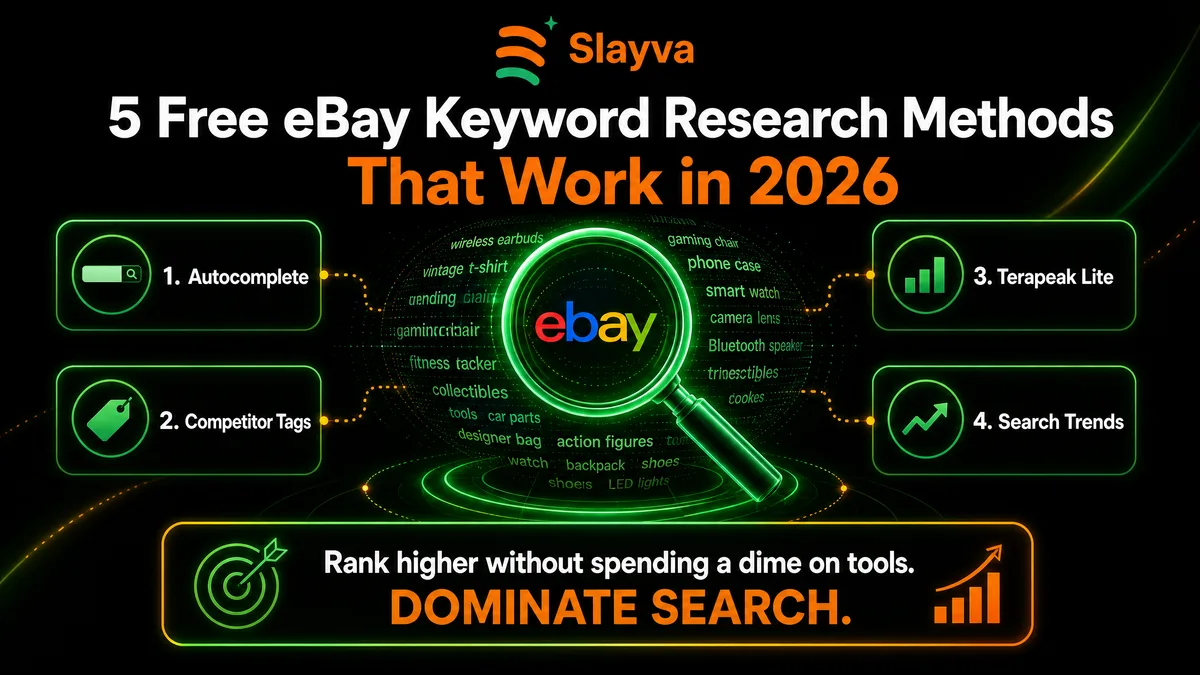
Table of contents
eBay keyword research is about finding the words buyers type into eBay’s search box, then putting them where eBay looks for them. There’s no official eBay keyword tool with search volumes, but you don’t need a paid one to do it well. eBay already gives every seller free tools that show what buyers search for, what sells and how your own listings perform.
This guide covers seven free eBay keyword research tools and methods, how to turn what you find into a title, and how to check whether it worked. The facts about eBay’s tools come from eBay’s own help pages and Seller Center, checked in November 2026.
Key Takeaways
- Main Insight: eBay says its search finds the listing titles that closely match what buyers type, so free eBay keyword research starts with buyer language, not guesses.
- Strategy Tip: Use Product Research in Seller Hub. It’s free, and it shows up to three years of eBay sales data for any keyword or product.
- User Benefit: The traffic report in Seller Hub shows impressions, click-through rate and sales conversion, so you see whether new keywords worked.
- Red Flag: Keywords that don’t describe the item break eBay’s search manipulation policy, no matter how popular they are.
Is There a Free eBay Keyword Tool?
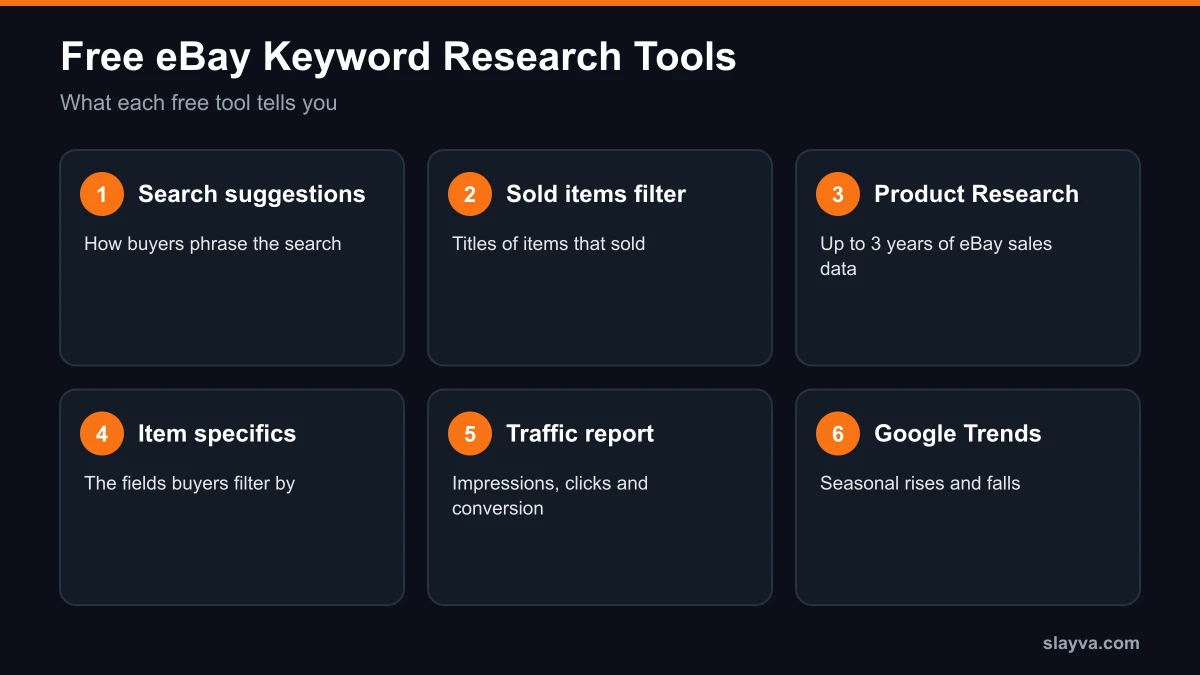
eBay doesn’t publish a keyword planner with monthly search volumes, the way Google Ads does. What it does give sellers, free, is a set of tools that together answer the questions a keyword tool answers: what buyers type, which versions of a product sell, and whether your listing shows up.
| Free tool | What it tells you | Where to find it |
|---|---|---|
| eBay search suggestions | The phrases buyers start typing | eBay’s search box |
| Sold items filter | The titles and specifics of items that sold | eBay search filters |
| Product Research | Up to 3 years of sold data by keyword | Seller Hub, Research tab |
| Item specifics | The attributes buyers filter by | The listing form |
| Traffic report | Impressions, click-through and conversion | Seller Hub, Performance |
| Google Trends | Seasonal rises and falls in interest | trends.google.com |
| Slayva eBay title checker | Length, filler words and special characters | Free tool |
Free eBay Keyword Tool or a Paid One?
Paid eBay keyword tools mostly sell convenience: they track many listings at once, store your keyword lists and suggest phrases in bulk. What they don’t have is eBay’s own search data. eBay doesn’t publish search volumes, so any volume figure a paid eBay keyword tool shows is that company’s estimate.
For most sellers, a free eBay keyword tool set is enough: search suggestions for phrasing, the sold items filter and Product Research for proof of sales, and the traffic report for results. A paid eBay keyword tool starts to make sense when you manage thousands of listings and the time saved is worth the subscription. Our comparison of the best eBay listing software covers tools that bundle keyword features with listing and inventory work.
Why eBay Keyword Research Works Differently From Google
eBay sorts search results by Best Match. eBay lists the factors it considers: how closely the listing matches the buyer’s search terms, the item’s popularity and price, the quality and completeness of the listing, the listing terms such as returns and handling time, and the seller’s track record.
That makes eBay keyword research narrower than web SEO. There are no backlinks to build. The words have to be in the right fields of the listing, and the rest of the listing has to be strong enough that buyers click and buy. eBay’s Seller Center says that when a buyer searches, eBay’s system finds the listing titles that closely match, and that item specifics help a listing appear in buyers’ searches.
Method 1: eBay’s Search Suggestions
Start typing a product into eBay’s search box and eBay suggests ways to finish the search. Those suggestions are the fastest free look at how buyers phrase things.
- Type the core product, for example “wireless earbuds.”
- Write down every suggestion, then add a letter or a brand after the core term to see more.
- Look for words that repeat: models, sizes, colors, materials and uses.
- Keep the words that describe your item exactly, and drop the rest.
Suggestions show phrasing, not volume. Use them to find the right words, then use the sold data below to see which versions sell.
Method 2: The Sold Items Filter
Search for your product, then turn on the “Sold items” filter. You see the listings that sold, with their titles, prices and dates. This is free eBay keyword research with proof attached, because every title on the page belonged to an item a buyer paid for.
- Note the words that appear in most sold titles for your exact item.
- Note the order: brand, product type and model usually lead.
- Compare the item specifics on sold listings with yours.
- Use competitors’ titles as a reference, not a template. Copying a title word for word gives a buyer no reason to pick yours.
Method 3: Product Research in Seller Hub
Product Research, formerly Terapeak, is the closest thing eBay has to a free eBay keyword tool. eBay’s Product research help page says it’s available to sellers with access to Seller Hub, and shows the last three years of eBay sales data for millions of items, including:
- Sales trends, the average sales price and the sold price range.
- Average shipping costs and the number of listings offering free shipping.
- The sell-through rate, for searches of items sold in the last 90 days.
- The total number of sellers who sold that item, and the selling format.
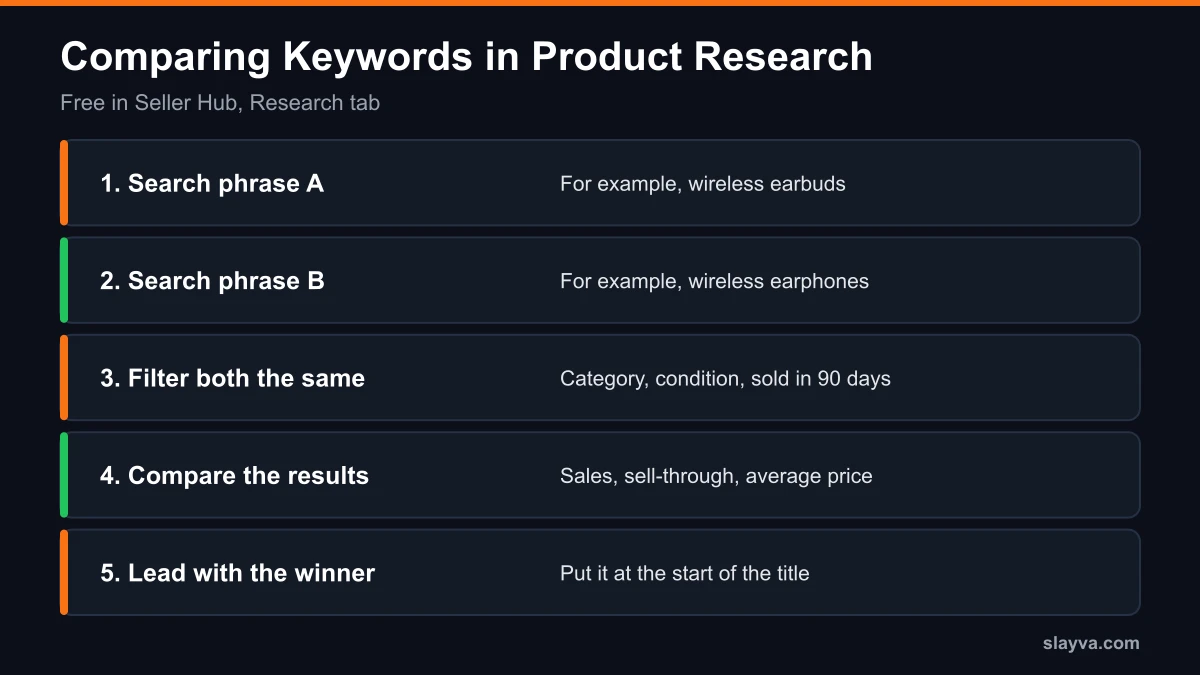
Search by keyword or product, then filter by category, condition, brand, color or buyer and seller locations. Run two versions of a phrase, for example “earbuds” and “earphones,” and compare the sold results. The version with more sales and a healthier sell-through rate is usually the one to lead with. Our guide to eBay Terapeak goes further into the tool.
Method 4: Item Specifics
Item specifics are the structured fields on a listing: brand, model, size, color, style, material and the others your category offers. eBay’s Seller Center says they help a listing appear in buyers’ searches, and buyers use them as filters on the results page.
Treat them as part of your eBay keyword research, not paperwork. Fill in every specific that applies, using the same terms buyers use, and keep them consistent with the title. A buyer who filters by size or brand never sees a listing that left that field blank.
Method 5: The Seller Hub Traffic Report
The traffic report shows whether your keywords bring buyers. According to eBay’s guide to monitoring your business in Seller Hub, the Traffic section shows:
- Impressions: total, organic versus promoted, and by placement, including the top 20 search spots.
- Page views: total, organic and from external sites.
- Click-through rate: page views from eBay divided by impressions.
- Sales conversion rate: quantity sold divided by total page views.
Low impressions point to a keyword or category problem. Good impressions with a low click-through rate point to the title, main photo or price. Our guide to reading the eBay Seller Hub traffic report explains each number.
Method 6: Google Trends for Timing
Google Trends isn’t eBay data, but it’s useful for timing. Compare two phrases, or check one phrase over 12 months, to see whether interest is rising, steady or seasonal. That helps you decide which of two accurate keywords to lead with, and when to switch a gift or seasonal keyword into a title.
Method 7: Check the Title Before You List
Once you have the words, write the title and check it. Our free eBay title checker counts characters as you type and flags what eBay’s Seller Center advises against, such as special characters and filler words, plus repeated words. It doesn’t estimate search volume, because no free tool has eBay’s search data.
Turning eBay Keyword Research Into a Title
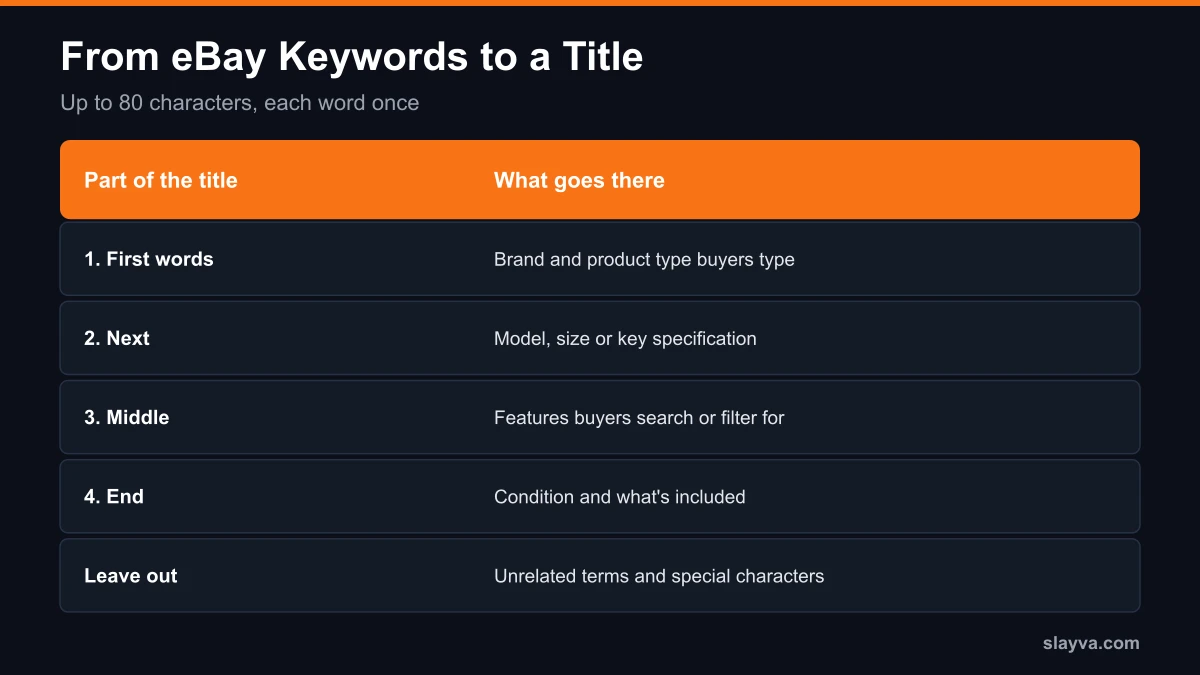
eBay gives you 80 characters for a title, and its Seller Center advises using as many as possible, with the brand, model or type, color, style and model number. A practical order:
- Brand and product type, the words buyers type first.
- Model, size or the key specification.
- The features buyers filter or search for.
- Condition and anything included, if there’s room.
Use each word once. Our guide to eBay listing titles covers the formula and the mistakes in detail.
Long-Tail Keywords on eBay
A long-tail keyword is a longer, more specific phrase, such as “wireless earbuds for small ears with charging case” rather than “wireless earbuds.” Fewer buyers type each one, but the buyers who do know exactly what they want. If your item matches that phrase, those details belong in the title or the item specifics.
Search suggestions are the best free source of long-tail phrases, because each extra word you type narrows what eBay suggests. Keep only the details that are true of your item, and put the most searched words first so they stay visible when the title is cut short on a phone screen.
eBay Keyword Research by Category
The same methods apply everywhere, but the words that matter change by category:
- Clothing and shoes: brand, size, style, color and material, which are also the item specifics buyers filter by.
- Electronics: the exact model number, storage or capacity, and compatibility stated with “for” or “fits” before the compatible device.
- Car and vehicle parts: the part number, with compatible vehicles added through eBay’s parts compatibility rather than the title. eBay’s search manipulation policy says compatible vehicles shouldn’t be in the title.
- Collectibles and vintage: maker, era and condition, in the terms collectors in that niche use.
Check the item specifics eBay offers for your category before you write the title. They show which attributes eBay expects buyers to search and filter by.
eBay’s Listing Quality Report
Seller Hub also has a Listing Quality Report. eBay’s Seller Hub guide says it analyses the 10 categories where you have the most live listings, at listing and category level, and suggests specific actions to improve views, impressions and sales. It’s a useful second opinion after your own eBay keyword research, especially on missing item specifics.
Keywords eBay Doesn’t Allow
Good eBay keyword research stays inside eBay’s search manipulation policy. It doesn’t allow keywords that aren’t directly related to the item for sale, comparisons with other products, or keywords with question marks. For accessories, “fits,” “for” or “compatible with” goes before the compatible item’s name. Breaking the policy leads to removed listings, warnings or restrictions.
Brand names follow the same rule. Use a brand only if the item is that brand, or if you’re stating compatibility in the allowed way.
A Weekly eBay Keyword Research Routine
Keyword research works best as a short habit rather than a one-off job. A routine that fits into half an hour:
- Pick five listings with low impressions in the traffic report.
- Run each product through search suggestions and the sold items filter.
- Check the main phrase in Product Research against one alternative.
- Revise one thing per listing, the title or the item specifics, and note the date.
- Compare impressions and click-through rate over the next two to three weeks.
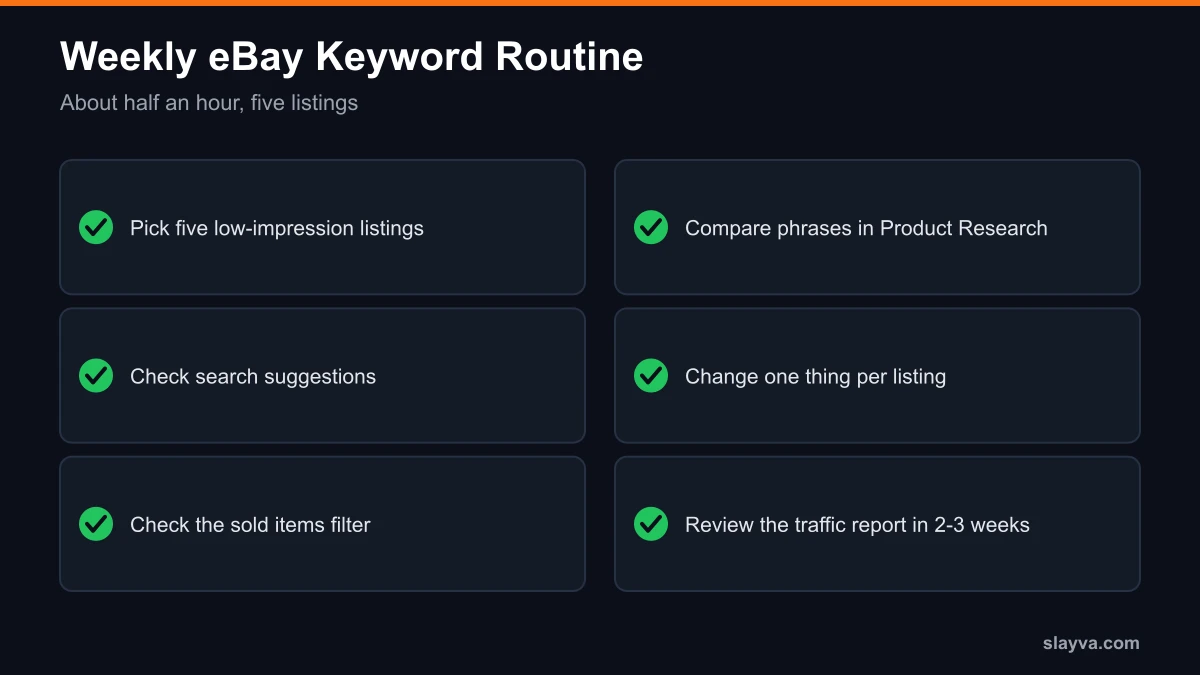
Changing one thing at a time is what makes the traffic report useful. If you change the title, photos and price together, you won’t know which change made the difference.
Common eBay Keyword Research Mistakes
- Researching once and never again. Buyer language and seasons change, so revisit your best sellers.
- Leaving item specifics blank. They’re searchable and filterable, so a blank field loses buyers.
- Stuffing synonyms into the title. Pick the word buyers use most for your exact item.
- Adding unrelated popular terms. It breaks eBay’s policy and attracts buyers who won’t buy.
- Judging by impressions alone. Watch click-through and conversion too.
When Keywords Aren’t the Problem
If impressions are healthy but sales aren’t, eBay keyword research isn’t the bottleneck. Best Match also weighs price, listing quality, returns, handling time and your seller record. Our guide to eBay listing optimization covers the rest of the listing, and what to sell on eBay covers checking demand before you buy stock.
Frequently Asked Questions About eBay Keyword Research
Is there a free eBay keyword tool?
eBay has no official keyword planner with search volumes. Free tools that do the job are eBay’s search suggestions, the sold items filter, Product Research in Seller Hub, item specifics and the Seller Hub traffic report.
Is Product Research (Terapeak) free?
Yes. eBay says sellers with access to Seller Hub are able to use Product research, which shows up to three years of eBay sales data. Business sellers with a Basic Store or above also get Sourcing insights.
How do I find keywords for an eBay listing?
Type the product into eBay’s search box and note the suggestions, check sold listings for the same item, compare phrases in Product Research, then fill in every item specific that applies.
Where should keywords go on an eBay listing?
In the title, which allows 80 characters, and in the item specifics. eBay says its search finds titles that closely match the buyer’s search and that item specifics help listings appear in searches.
How do I know if my eBay keywords are working?
Check the traffic report in Seller Hub. It shows impressions, click-through rate and sales conversion rate, so compare those numbers over two to three weeks after a change.
How many keywords should an eBay title have?
eBay doesn’t set a number. Use the words that describe the item and that buyers search for, each once, within 80 characters.
Is it allowed to use competitors’ brand names as keywords?
No. eBay’s search manipulation policy doesn’t allow keywords unrelated to the item or comparisons with other products. Use a brand only if the item is that brand or you’re stating compatibility correctly.
Do paid eBay keyword tools have better data?
No paid tool has access to eBay’s own search data. Paid tools mainly add convenience, such as tracking many listings at once. For most sellers, eBay’s free tools cover the research.
Want your listings checked for keywords?
Send us your store for a free account audit. We look at titles, item specifics and traffic, and show you which listings to fix first. See our eBay account management services.
Conclusion
Free eBay keyword research comes down to eBay’s own tools used together. Search suggestions show how buyers phrase things, sold listings and Product Research show what sells, item specifics put your keywords where buyers filter, and the traffic report shows whether it worked. Keep every keyword true to the item, change one thing at a time, and revisit your listings as buyer language changes. A good first step is the five listings with the fewest impressions in your traffic report this week.
More eBay seller guides are in the blog library.

Mubshar
All posts by MubsharNeed this handled for you?
eBay Listing Optimization
Titles, item specifics and photos rewritten for search.
See the serviceeBay Account Management
Listings, orders, cases and growth, run for you.
See the service- Have this problem now? eBay account suspended (MC999)
- Have this problem now? eBay sales dropped