9 eBay Listing Optimization Tips to Boost Sales
- Updated
- eBay, eBay Listing Optimization
- 14 min read
Table of contents
Introduction
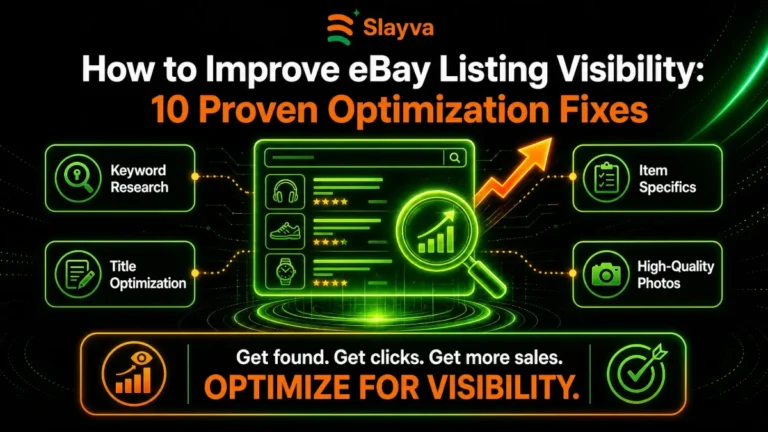
Most eBay listings that struggle are not bad products. They are listings that eBay’s search cannot match to what buyers type, or that buyers skip once they see them: a vague category, a short title, half-empty item specifics, weak photos, or a price that ignores what the item actually sells for.
This guide walks through the nine eBay listing optimization tips that fix those problems, and how to check in your own Seller Hub whether each change is working. Whether you are a beginner or a seasoned seller, they will help you get more eyes on your products and turn those views into purchases.
Key Takeaways
- Front-load the most important keywords in your eBay title and aim for 75-80 characters
- Fill in every required and recommended item specific so your listing matches more searches and filters
- List your products in the correct category with the highest buyer traffic
- Use high-quality square images at least 1600 pixels wide with white backgrounds
- Turn on eBay Guaranteed Delivery where you can commit to shipping timelines
- Avoid common listing mistakes like keyword stuffing and duplicate listings
- Use AI-powered tools to generate optimized listing content faster
- Price competitively using Terapeak research on sold items from the past 90 days
- Add video to your listings to increase engagement and conversion rates
Where to Start: The Four Changes That Matter Most
If you only have time for a few changes, start with the four that decide whether eBay shows your listing at all and whether buyers trust it enough to buy:
- Moving products to the right eBay category, the most specific one that fits
- Rewriting titles to use the 80 characters with front-loaded keywords
- Completing every required and recommended item specific
- Offering eBay Guaranteed Delivery where you can meet the delivery dates
Make one change at a time on a group of listings and compare their impressions, click-through rate and conversion in Seller Hub’s traffic report against similar listings you have not changed. That tells you what works for your products, not ours. Here is each tip in detail.
Tweak 1: Fix Your eBay Category Selection
One of the biggest eBay listing mistakes to avoid is choosing the wrong category. A listing in the wrong or a too-general category misses the category filters buyers use and competes with unrelated items. This is one of the most overlooked eBay listing optimization tips.
Automatic category mapping does not always work. It often selects a category that is convenient rather than the most specific one. Review the category of your best sellers and slow movers by hand, and move each to the most specific category that still describes the product.
How to Find the Best Category
- Search for your product on eBay and see which category top sellers are using
- Check eBay’s category bestseller list to see which categories have the most activity
- Use eBay’s category suggestion tool and verify with manual research
- Compare your category choices with successful competitors
Common mistake: Choosing a broad category instead of a specific one. A more specific category with less competition often outperforms a broad category with thousands of listings.
Tweak 2: Rewrite Your eBay Titles for Maximum Visibility
Title optimization is usually the highest-impact change, and it is the first thing our eBay listing optimization service works on. eBay matches searches against your title, so using the 80 characters with the most important keywords first gives the listing more searches to appear in.
The Formula for High-Performing eBay Titles
To learn how to optimize eBay listings for more sales, follow this formula:
[Primary Keyword] – [Brand/Model] – [Features] – [Condition] – [Style]
For example, instead of:
“Vintage Camera for Sale”
Use:
“Vintage Polaroid OneStep Camera – Retro Instant Film Camera – Working Condition – 1977 Edition”
Title Optimization Rules
- Use all 80 characters eBay allows
- Front-load your most important keywords
- Include brand names and model numbers
- Add key features that differentiate your product
- Include condition information
- Use common search phrases buyers actually type
Which Side of the Listing Title Matters Most on eBay?
The first 40 characters of your title are the most important. This is what appears in search results and mobile views. Make sure your primary keyword is within the first 40 characters. This is one of the most critical eBay listing optimization tips.
Expert tip: Use eBay’s search bar autocomplete to see what buyers are actually searching for. Type your product name and see what suggestions appear. These are the exact phrases you should include in your title.
Tweak 3: Complete Every Item Specific
Item specifics are one of the most underused eBay listing optimization tips. eBay uses them for the filters buyers click and to match searches, so every missing specific is a filter your listing drops out of.
Why Item Specifics Matter
eBay uses item specifics in its search algorithm to match products with buyer queries. The more item specifics you complete, the more filters your listing appears in, the more search queries you match, and the more impressions you receive.
How to Complete Item Specifics Effectively
- Fill in all required item specifics first
- Complete every recommended item specific after that
- Use exact brand names from the dropdown when available
- Enter specific measurements and sizes precisely
- Include color, material, and other visual attributes
- Add any manufacturer part numbers or UPCs
Example: If you are selling a t-shirt, complete:
- Brand
- Size
- Color
- Material
- Fit
- Sleeve length
- Neck style
- Pattern
- Care instructions
- Manufacturing country
How to Use Product Identifiers
eBay’s product identifiers like UPC, MPN, or ISBN are keys to getting traffic. If your item has one, listing it helps eBay match your listing with buyers. These identifiers also let you inherit manufacturer image and category item specifics.
Tweak 4: Enable eBay Guaranteed Delivery
eBay Guaranteed Delivery is a feature that shows buyers exactly when their item will arrive. Buyers can filter for it, and a firm delivery date is a reason to choose your listing over a similar one, but only switch it on if you can meet the dates reliably.
What eBay Guaranteed Delivery Does
- Shows delivery date estimates on listings
- Gives eBay’s stamp of approval to listings
- Increases buyer confidence
- Leads to fewer “where is my item?” messages
How to Enable It
- Check your shipping zones where you can reliably deliver
- Set up guaranteed delivery on eligible items
- Monitor your shipping times to maintain the guarantee
Requirements for Guaranteed Delivery
- You must ship within your handling time
- You must use a carrier that eBay recognizes
- Your delivery window must be realistic for your location
Tweak 5: Upgrade Your Product Photography
High-quality images are essential for eBay listing optimization tips. The main image is what buyers judge in search results, so it decides the click-through rate, and the rest of the gallery answers the questions that decide the sale.
What Makes a Good eBay Image
- Square format for consistency
- At least 1600 pixels wide for zoom functionality
- White or neutral backgrounds
- Multiple angles showing the product from all sides
- Close-ups of important features
- Photos showing scale or size reference
- Images showing the product in use
- Video where appropriate
The Power of Video
Video is becoming essential for improving eBay product pages in 2026. eBay has made it easier than ever to add video to listings, making your product page more engaging than the listing next to it.
Video benefits:
- Shoppers spend more time on the page
- Video converts better than images alone
- You can see more detail and angles
- It shows the product in motion
- It builds trust with buyers
Common Image Mistakes to Avoid
- Using stock photos without real images
- Not including enough photos
- Using images that are too small
- Not showing both sides of the product
- Forgetting to photograph damage or wear
Tweak 6: Price Competitively Using Terapeak
Pricing is one of the most critical factors in how to optimize eBay listings for more sales. Using eBay’s Terapeak research tool helps you price competitively and maximize profits.
How to Use Terapeak for Pricing
- Search for similar products on Terapeak
- Look at sold prices from the past 90 days
- Check the sell-through rate (what percentage of listings actually sold)
- See what top sellers are charging
- Factor in your costs and desired margin
What Terapeak Shows
- Average selling price
- Median selling price
- Number of sold items
- Listing format performance
- Sales by condition
- Listing quality metrics
Smart Pricing Strategy
- Match the market price or slightly undercut for new sellers
- Use psychological pricing ($19.99 instead of $20)
- Consider offering free shipping and increasing the price
- Test different price points on similar items
Common pricing mistake: Pricing based on what you paid rather than what the market will bear. Your cost does not matter to the buyer. What they have paid for similar items in the last 90 days does.
Tweak 7: Write Compelling Product Descriptions
Your product description is where you close the sale. A well-written description addresses buyer questions, highlights benefits, and overcomes objections. This is one of the eBay listing optimization tips that directly impacts conversion rates.
The Anatomy of a High-Converting Description
Start with a strong opening:
“Introducing the [Product Name] – the perfect solution for [buyer’s problem or need].”
List key features and benefits:
- Feature: What the product has
- Benefit: What that feature does for the buyer
Explain why your product is better:
- Why should they choose this over competitor options?
- What makes it special?
Include social proof:
- “Hundreds of satisfied customers have purchased this item”
- “Rated 5 stars by previous buyers”
End with a clear call to action:
“Add this to your cart today for fast shipping and excellent customer service.”
How to Use AI to Generate eBay Listing Content
In 2026, eBay’s AI-powered tools can help you generate titles, descriptions, and item specifics from a single photo. This is one of the most powerful eBay listing optimization tips for saving time and improving quality.
AI listing benefits:
- Generates optimized titles automatically
- Writes compelling descriptions
- Suggests relevant item specifics
- Identifies the best category
- Creates content in seconds
Expert tip: Always review and customize AI-generated content. While AI is powerful, your personal knowledge of your product and your customers adds value that AI cannot replicate.
Tweak 8: Use Structured Data to Stand Out
Structured data helps eBay understand what you are selling and can make your listings stand out in search results.
What Structured Data Includes
- Brand name
- Model number
- UPC or EAN
- MPN (manufacturer part number)
- Color
- Size
- Material
- GTIN (Global Trade Item Number)
Why Structured Data Matters
- It helps eBay show your item in more searches
- It can trigger buyers better fits
- It makes you more competitive in the algorithm
Tweak 9: Monitor and Adjust Based on Data
Optimization is not a one-time event. It is an ongoing process of testing, measuring, and adjusting. The best eBay listing optimization tips are worthless if you do not track your results.
What to Monitor
- Impressions – Are your listings being seen?
- Click-through rate – Are shoppers clicking on your listing?
- Conversion rate – Are clicks turning into sales?
- Sell-through rate – What percentage of your inventory is selling?
- Average selling price – Are you getting market value?
How to Optimize Based on Data
- If impressions are low: Improve your title and category
- If click-through is low: Improve your images and first 40 characters
- If conversions are low: Improve your description and pricing
- If sell-through is low: Check the Terapeak data for category demand
Expert tip: Set aside time each month to review your listing performance and make adjustments based on data. The sellers who consistently apply these eBay listing optimization tips are the ones who consistently grow their sales.
eBay Listing Checklist for Higher Conversions
Use this eBay listing checklist for higher conversions on every listing you create:
- □ Researched the best category with highest buyer traffic
- □ Front-loaded primary keywords in the first 40 characters
- □ Used all 80 characters in the title
- □ Completed every required and recommended item specific
- □ Added product identifiers (UPC, MPN, ISBN) when available
- □ Used at least 5 high-quality images
- □ Images are square format with white backgrounds
- □ Images are at least 1600 pixels wide
- □ Added video to the listing (when possible)
- □ Priced competitively using Terapeak data
- □ Enabled eBay Guaranteed Delivery
- □ Written a compelling, benefit-focused description
- □ Included shipping details and handling time
- □ Set a realistic handling time
- □ Reviewed AI-generated content for accuracy
- □ Checked for common listing mistakes
- □ Verified mobile responsiveness of the listing
Comparison Table: Weak vs. Optimized Listings
| Listing element | Weak listing | Optimized listing | Why it matters |
|---|---|---|---|
| Category | Broad or mismatched | The most specific category that fits | Category filters and relevant searches |
| Title | Short, vague | Uses the 80 characters, key terms first | More searches matched |
| Item specifics | Partly filled in | Every required and recommended field | Appears in more filters |
| eBay Guaranteed Delivery | Not offered | Offered where dates can be met | Buyers can filter for it |
| Images | Two small photos | Several sharp photos, 1600px | Click-through from search |
| Price | Based on cost | Based on recent sold prices | Sell-through |
| Description | Basic facts | Answers buyers’ questions | Conversion and fewer returns |
Frequently Asked Questions
What are the best eBay listing optimization tips for beginners?
The best eBay listing optimization tips for beginners include front-loading keywords in your title, completing all item specifics, using high-quality images at least 1600 pixels wide, enabling eBay Guaranteed Delivery when possible, and pricing competitively using Terapeak research. These foundational eBay listing optimization tips will give you the biggest impact with the least effort.
How do I optimize eBay listings for more sales?
To optimize eBay listings for more sales, start by researching the best category with high buyer traffic. Write titles that use all 80 characters with front-loaded keywords. Complete every item specific. Use high-quality images at least 1600 pixels wide. Add video when possible. Enable eBay Guaranteed Delivery. Price competitively using Terapeak data. Write compelling, benefit-focused descriptions. Use eBay’s AI-powered tools to generate optimized content. Finally, monitor your performance and adjust based on data. These eBay listing optimization tips work together to boost visibility and conversions.
What is the most important eBay listing optimization tip?
The most important eBay listing optimization tip is front-loading your most important keywords in the first 40 characters of your title. This is what appears in search results and mobile views. The first 40 characters are the most critical for search visibility. This one eBay listing optimization tip alone can dramatically improve your impressions.
How many item specifics should I complete?
Complete every required and recommended item specific. The more item specifics you complete, the more filters your listing appears in, the more search queries you match, and the more impressions you receive. This is one of the most powerful eBay listing optimization tips.
How many photos should I include in an eBay listing?
Include at least 5 high-quality photos. Use square format with white backgrounds. Each photo should be at least 1600 pixels wide to enable zoom functionality. Include multiple angles, close-ups of important features, and photos showing scale. Add video when possible to increase engagement. Quality images are essential eBay listing optimization tips.
How long should my eBay title be?
Use all 80 characters that eBay allows. The first 40 characters are the most important. Front-load your primary keywords in the first 40 characters. Include brand names, model numbers, key features, condition, and style. This is one of the most critical eBay listing optimization tips for visibility.
What is eBay Guaranteed Delivery and should I use it?
eBay Guaranteed Delivery is a feature that shows buyers exactly when their item will arrive. You should use it when you can commit to shipping timelines. It increases buyer confidence, reduces “where is my item?” messages, and can boost conversion rates. This is one of the eBay listing optimization tips that directly impacts conversions.
How do I price competitively on eBay?
Use Terapeak research to see what similar products have sold for in the past 90 days. Check the sell-through rate to understand demand. Factor in your costs and desired margin. Match the market price or slightly undercut for new sellers. Use psychological pricing like $19.99 instead of $20. Smart pricing is a key part of eBay listing optimization tips.
Should I use AI to generate eBay listing content?
Yes, eBay’s AI-powered tools can generate titles, descriptions, and item specifics from a single photo. However, always review and customize AI-generated content. Your personal knowledge adds value that AI cannot replicate. This is one of the most efficient eBay listing optimization tips for saving time.
What are the biggest eBay listing mistakes to avoid?
The biggest eBay listing mistakes to avoid include choosing the wrong category, keyword stuffing instead of using natural language, not completing item specifics, using low-quality images, ignoring eBay Guaranteed Delivery, pricing based on cost rather than market data, writing generic descriptions without benefits, and not using AI-powered tools to improve efficiency. Avoiding these eBay listing mistakes is as important as applying the right eBay listing optimization tips.
How do I monitor listing performance?
Monitor impressions to see if your listings are being seen, click-through rate to see if shoppers are clicking, conversion rate to see if clicks turn into sales, sell-through rate to understand inventory movement, and average selling price to ensure you are getting market value. Set aside time each month to review performance and make adjustments. Data-driven optimization is the key to successful eBay listing optimization tips.
What is the best category on eBay?
The best category on eBay is not a specific category but rather the category with the highest buyer traffic that is still relevant to your product. Search for your product and see which category top sellers are using. Check eBay’s category bestseller list. Compare your category choices with successful competitors. This is one of the foundational eBay listing optimization tips.
How can I improve my eBay product pages in 2026?
To improve eBay product pages in 2026, focus on adding video to your listings, completing all item specifics, using eBay’s AI-powered tools for content generation, enabling eBay Guaranteed Delivery, optimizing for mobile viewing, and using Terapeak data for competitive pricing. These eBay listing optimization tips are specifically tailored for 2026.
Final Thoughts
None of these eBay listing optimization tips is a trick. They make it easier for eBay to show your listing and for buyers to choose it, and they work best together, applied consistently and measured, alongside practical habits like listing at the right time.
The key is implementing these eBay listing optimization tips consistently across all your listings:
- Move products to the right category with the highest traffic
- Front-load keywords in titles and use all 80 characters
- Complete every required and recommended item specific
- Use high-quality images at least 1600 pixels wide
- Add video to your listings
- Enable eBay Guaranteed Delivery where possible
- Price competitively using Terapeak data
- Write compelling, benefit-focused descriptions
- Use AI-powered tools to generate optimized content faster
- Monitor performance and adjust based on data
Start with one listing today. Apply the eBay listing optimization tips we have covered. Compare the results with your other listings. Then scale what works across your entire inventory. Your sales will thank you. These eBay listing optimization tips have the power to transform your eBay business.
Want More Sales From Your eBay Listings?
Optimized listings can help improve visibility, attract more buyers, and increase conversions. If you need help managing and optimizing your eBay store, Slayva’s eBay experts can help you build a stronger strategy for long-term growth.
Need help with a suspended account? Explore eBay Suspension Recovery .

Mubshar
All posts by MubsharNeed this handled for you?
eBay Listing Optimization
Titles, item specifics and photos rewritten for search.
See the serviceeBay Account Management
Listings, orders, cases and growth, run for you.
See the service- Have this problem now? eBay account suspended (MC999)
- Have this problem now? eBay sales dropped