7 Proven Shopify SEO Optimization Steps to Get Free Organic Traffic in 2026
- Shopify, Shopify SEO & Marketing
- 16 min read
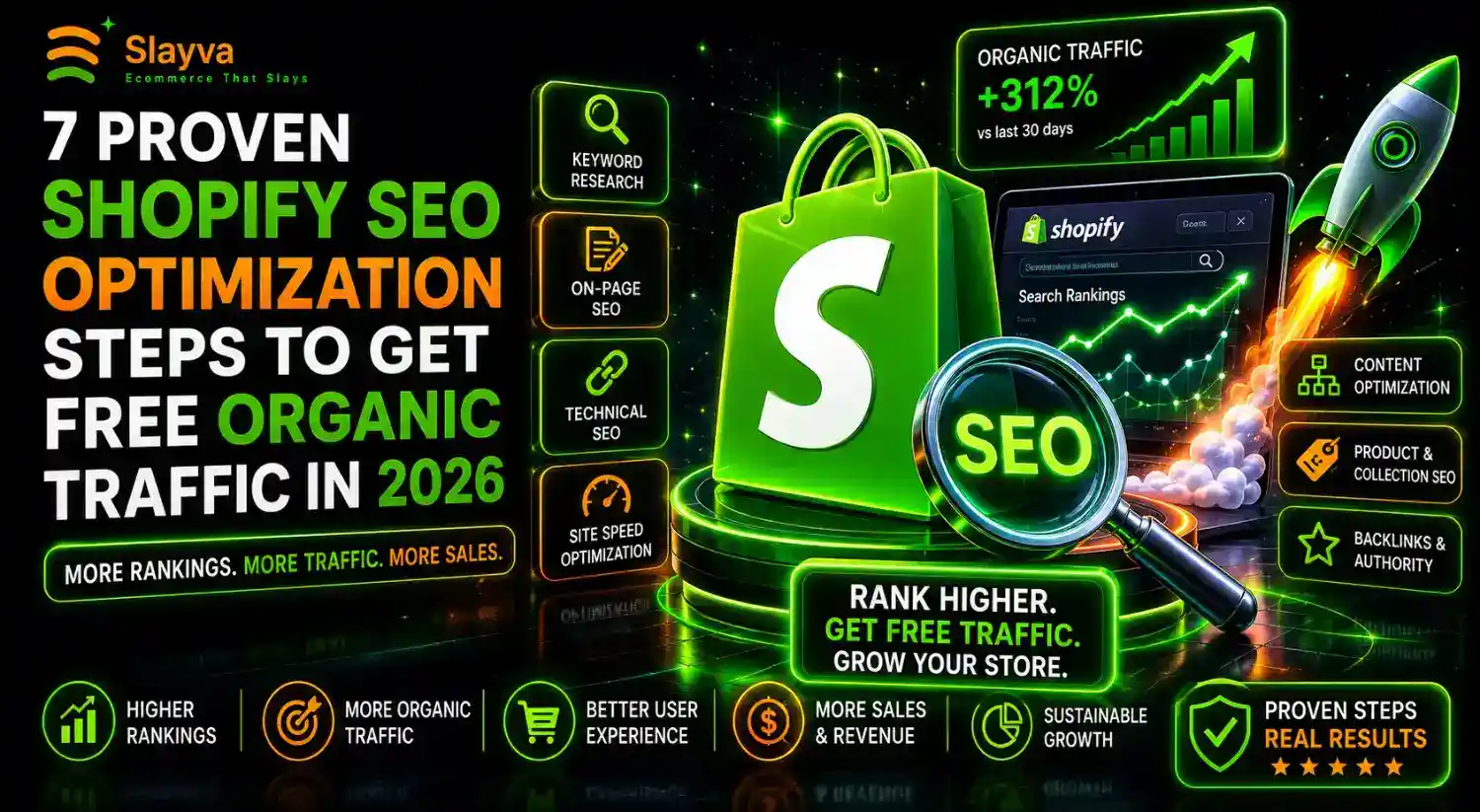
Table of contents
You launched your Shopify store. You added products. You wrote descriptions. You published everything and waited for visitors. Then nothing happened. No traffic. No sales. No revenue. The silence feels personal.
The problem is not your products. The problem is visibility. Google processes over 8.5 billion searches daily. Your ideal customers search for products exactly like yours right now. But they cannot find your store because it sits buried on page ten of search results, where nobody looks.
Shopify SEO optimization changes this. When you optimize your store correctly, Google sends free, targeted traffic to your product pages every single day. You stop depending on paid ads that stop working the moment you stop paying. You build a traffic asset that compounds over time.
This guide shows you exactly how to do Shopify SEO optimization in 2026. You will learn beginner-friendly strategies that work right now. You will discover the best apps for ranking higher. You will master product page optimization and blog content strategy. Every method here drives free organic traffic without ad spend.
Let me walk you through the complete system.
Key Takeaways
- Main Insight: Shopify SEO optimization generates free organic traffic that compounds over months and years. Unlike paid ads that stop delivering when spending stops, optimized pages keep attracting visitors indefinitely.
- Strategy Tip: Start with product page SEO before building blog content. Optimized product pages capture high-intent buyers actively searching for items to purchase. Blog content builds long-term traffic but takes longer to convert.
- User Benefit: Every visitor arriving through Shopify SEO optimization costs nothing. Your customer acquisition cost drops to zero on organic traffic. Profit margins improve significantly compared to paid advertising channels.
Why Shopify SEO Optimization Matters More in 2026
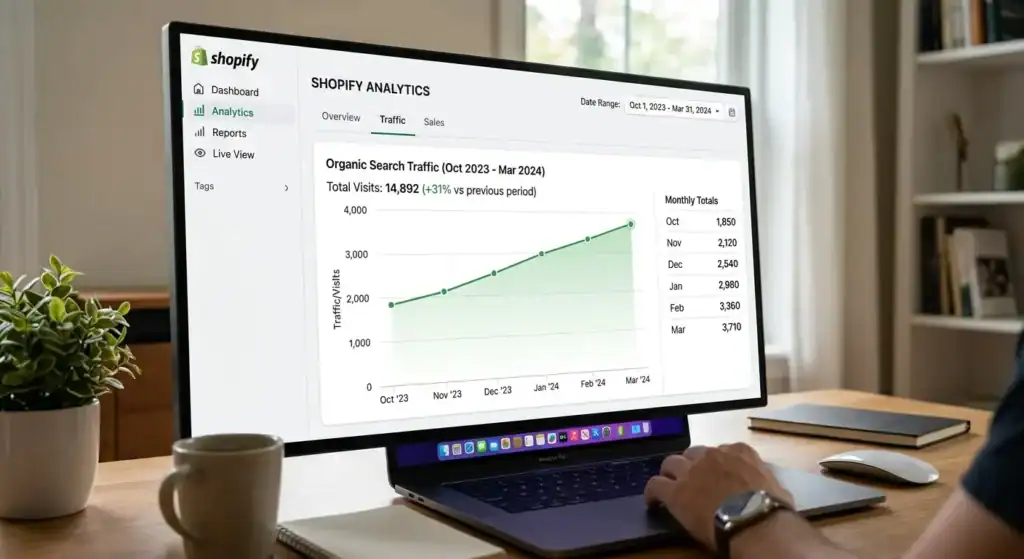
Search behavior changed significantly between 2023 and 2026. Buyers research products more thoroughly before purchasing. They compare options across multiple sites. They read reviews, check specifications, and evaluate sellers before clicking the buy button. Appearing in these research searches requires deliberate Shopify SEO optimization.
Google’s algorithm evolved to reward comprehensive, helpful content. Product pages with detailed descriptions, genuine reviews, and useful specifications rank higher than thin pages with minimal information. Stores investing in Shopify SEO optimization capture traffic that thin-content competitors miss.
The economics favor organic traffic more than ever. Paid advertising costs rose across Google, Facebook, and TikTok. Customer acquisition costs increased. Profit margins shrunk. Free organic traffic through Shopify SEO optimization provides relief from rising ad costs. Each organic visitor costs nothing, making every sale from search traffic more profitable than paid equivalents.
Shopify improved its built-in SEO capabilities. The platform handles technical elements like sitemaps, canonical tags, and mobile optimization automatically. Store owners focus on content and keyword strategy rather than technical configuration. This makes Shopify SEO optimization accessible to beginners without technical backgrounds.
How to Do SEO for Shopify Store Beginners 2026: Complete Setup
Starting Shopify SEO optimization requires foundational setup before advanced strategies. These steps ensure Google properly indexes and understands your store.
Technical SEO Foundation
Shopify handles many technical elements automatically. Verify these settings are correct before proceeding to content optimization.
SSL Certificate: Shopify provides free SSL certificates for all stores. Verify the padlock icon appears in browser address bars. HTTPS encryption is a Google ranking factor. Check your domain settings in Shopify admin under Domains to confirm SSL activation.
XML Sitemap: Shopify automatically generates sitemaps at yourstore.com/sitemap.xml. This file tells Google which pages exist on your site. Submit the sitemap to Google Search Console for faster indexing. Access Google Search Console to add your property and submit the sitemap URL.
Robots.txt File: Shopify automatically creates a robots.txt file controlling which pages search engines crawl. The default settings work for most stores. Verify the file at yourstore.com/robots.txt. Ensure important pages are not blocked from crawling.
Mobile Responsiveness: All Shopify themes are mobile-responsive by default. Test your store on multiple device sizes. Google uses mobile-first indexing, meaning the mobile version of your site determines search rankings. Poor mobile experience hurts Shopify SEO optimization efforts regardless of desktop quality.
Page Speed: Fast-loading pages rank better and convert more visitors. Test your store speed using Google PageSpeed Insights. Optimize images before uploading. Limit app installations to essential tools. Excessive apps slow page speed and harm Shopify SEO optimization.
Keyword Research for Shopify SEO Optimization
Keywords connect buyer searches to your product pages. Research determines which terms to target for maximum traffic.
Product Keywords: Identify terms buyers use when ready to purchase. These include product names, model numbers, and specific variations. “Handmade leather wallet” indicates purchase intent. “Wallet” alone is too broad. Target specific product keywords for product page Shopify SEO optimization.
Category Keywords: Identify broader terms describing product collections. “Men’s leather accessories” or “kitchen organization tools” serve as category keywords. These terms attract shoppers browsing options rather than searching for specific items. Target category keywords on collection pages.
Informational Keywords: Identify questions buyers ask before purchasing. “How to choose a leather wallet” or “best kitchen gadgets for small apartments” represent informational searches. These terms attract potential buyers in research phases. Target informational keywords through blog content.
Keyword Research Tools: Use free tools to discover search terms. Google Keyword Planner shows search volumes and competition levels. AnswerThePublic reveals question-based searches. Google search autocomplete suggests popular related terms. Use these tools to build keyword lists for Shopify SEO optimization.
On-Page SEO Elements
Each page element affects search rankings. Optimize these components on every page.
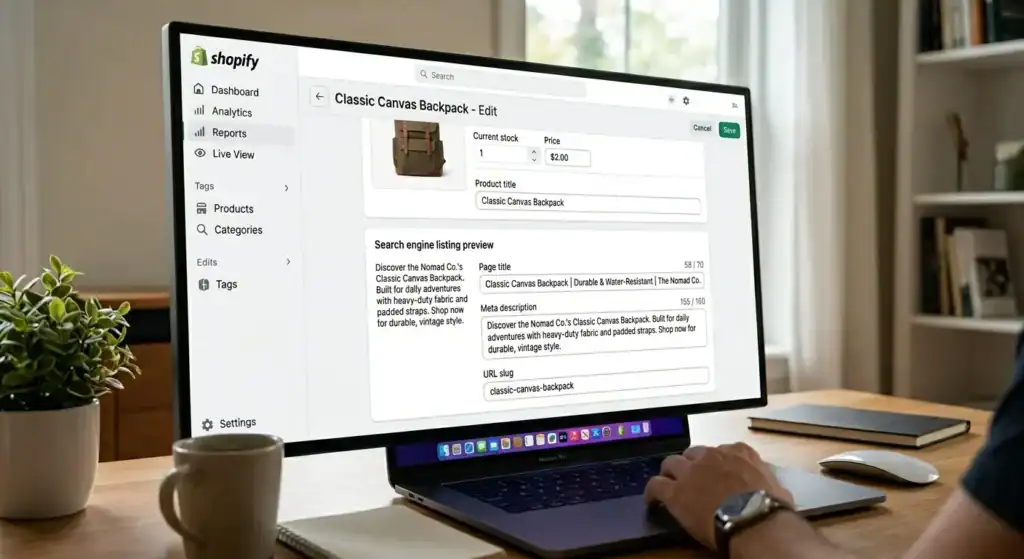
Title Tags: The blue clickable text in search results. Include primary keywords near the beginning. Keep titles under 60 characters for full display. Format as Product Name | Store Name for product pages. Shopify SEO optimization starts with proper title tag structure.
Meta Descriptions: The descriptive text below title tags in search results. Include primary and secondary keywords naturally. Write compelling descriptions that encourage clicks. Keep descriptions under 160 characters. While not a direct ranking factor, descriptions influence click-through rates which affect rankings.
URL Structure: Shopify automatically generates URLs from page titles. Edit URLs to be short and keyword-rich. Use hyphens between words. Avoid numbers and special characters. Clean URLs improve click-through rates and make Shopify SEO optimization easier to manage.
Heading Tags: Use one H1 heading per page containing the primary keyword. Shopify automatically makes product titles the H1 on product pages. Use H2 headings for sections within descriptions. Proper heading hierarchy helps Google understand page structure and improves Shopify SEO optimization.
Image Alt Text: Every image needs descriptive alt text. Include product names and relevant keywords. Alt text helps Google understand image content. It also improves accessibility for visually impaired users. Both factors contribute to Shopify SEO optimization.
On-Page SEO Checklist Table
| SEO Element | Optimization Action | Priority |
|---|---|---|
| Title Tag | Primary keyword near beginning, under 60 characters | High |
| Meta Description | Include keywords, compelling click incentive, under 160 characters | High |
| URL | Short, keyword-rich, hyphens between words | Medium |
| H1 Heading | One per page, contain primary keyword | High |
| H2 Headings | Section headings with related keywords | Medium |
| Image Alt Text | Descriptive, include product keywords | Medium |
| Product Description | 300+ words, include primary and related keywords | High |
How to Optimize Shopify Product Pages for Google 2026
Product pages represent your highest-converting landing pages. Optimizing these pages for Shopify SEO optimization drives buyer-ready traffic directly to purchase opportunities.
Product Title Optimization
Product titles serve dual purposes. They inform buyers what you sell. They tell Google which search queries your page should rank for. Effective product titles balance both functions.
Title Structure: Primary Product Name plus Key Feature plus Brand plus Size or Variant. “Handmade Leather Bifold Wallet RFID Blocking Compact Size Brown.” This structure includes the main search term, distinguishing features, and specific attributes buyers search for.
Keyword Placement: Place the most important search term first. Google weights title words left to right. “Handmade Leather Wallet” before “RFID Blocking” signals that wallet is the primary topic. Early keyword placement improves Shopify SEO optimization results.
Natural Language: Write titles that read naturally to humans. Avoid keyword stuffing like “Wallet Leather Wallet Handmade Wallet RFID Wallet.” These titles rank poorly and discourage clicks. Natural titles perform better for both search engines and shoppers.
Product Description Optimization
Product descriptions influence rankings and conversions. Thin descriptions hurt both. Comprehensive descriptions improve Shopify SEO optimization while helping buyers make purchase decisions.
Description Length: Write 300 to 500 words for main product descriptions. Include product specifications, materials, dimensions, care instructions, and usage suggestions. Longer content provides more ranking opportunities and answers buyer questions before purchase.
Keyword Integration: Include primary keywords in the first 100 words. Sprinkle related keywords naturally throughout the description. Never force keywords where they do not fit. Readable descriptions with natural keyword integration outperform keyword-stuffed alternatives.
Unique Content: Write original descriptions for every product. Never copy manufacturer descriptions. Duplicate content across product pages confuses Google about which page to rank. Unique Shopify SEO optimization content on every page eliminates this problem.
Structured Information: Use bullet points for specifications and features. Include tables for sizing or technical details. Structured information helps Google display rich snippets in search results. Rich snippets improve click-through rates and Shopify SEO optimization performance.
Product Image Optimization
Images affect both search rankings and user experience. Proper optimization improves Shopify SEO optimization while helping buyers evaluate products.
File Names: Rename image files before uploading. Use descriptive names with keywords separated by hyphens. “handmade-leather-bifold-wallet-brown.jpg” rather than “IMG_4523.jpg.” Search engines read file names as relevance signals.
Alt Text: Write descriptive alt text for every image. “Handmade brown leather bifold wallet with RFID blocking technology” rather than “wallet image.” Alt text helps Google understand image content for image search results. This provides additional Shopify SEO optimization traffic sources.
Image Compression: Compress images before uploading to maintain fast page speed. Large image files slow page loading. Slow pages rank lower and convert fewer visitors. Use free tools like TinyPNG for compression. Balance image quality with file size.
Multiple Images: Include five to seven images per product. Show different angles, details, and use contexts. More images provide more alt text opportunities and better user experience. Both factors support Shopify SEO optimization.
Product Reviews and Social Proof
Reviews provide fresh, unique content that search engines value. They also build trust with potential buyers.
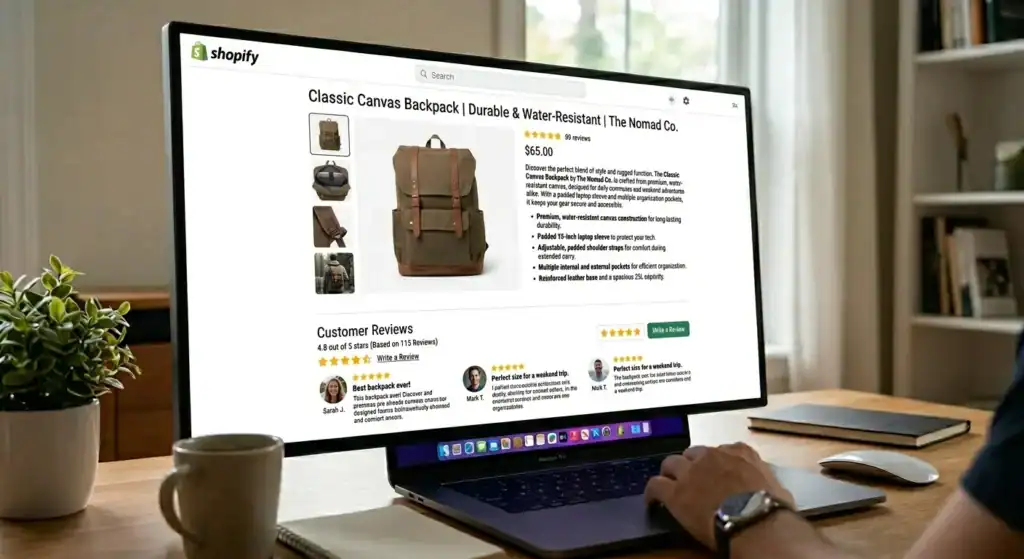
Review Collection: Actively request reviews from customers. Send follow-up emails after delivery. Offer small incentives for leaving reviews. More reviews mean more content indexed by Google for Shopify SEO optimization.
Review Schema Markup: Shopify themes typically include review schema markup automatically. This enables star ratings to appear in search results. Star ratings improve click-through rates significantly. Verify schema implementation using Google’s Rich Results Test tool.
Review Responses: Respond to reviews publicly. Thank positive reviewers. Address negative review concerns professionally. Review responses add additional unique content to product pages. This content supports Shopify SEO optimization while demonstrating customer service commitment.
Product Page Optimization Table
| Product Page Element | Optimization Action | SEO Impact |
|---|---|---|
| Product Title | Primary keyword first, natural language | High |
| Meta Description | Compelling description with keywords | Medium |
| Product Description | 300-500 unique words, keyword integration | High |
| Image File Names | Descriptive, keywords, hyphens | Medium |
| Image Alt Text | Product description with keywords | Medium |
| Bullet Points | Specifications and features | Medium |
| Customer Reviews | Fresh unique content, schema markup | Medium |
Best Shopify SEO Apps to Rank Higher on Google 2026
Apps enhance Shopify SEO optimization capabilities beyond built-in features. These tools identify issues, suggest improvements, and automate optimization tasks.
Top Free Shopify SEO Apps
Yoast SEO for Shopify: The free version provides SEO analysis for product pages, collections, and blog posts. It scores content readability and keyword optimization. The app suggests improvements for title tags, meta descriptions, and content structure. Install from the Shopify App Store.
Plug in SEO: Free plan checks for common SEO issues including broken links, missing meta descriptions, and slow page speed. Provides actionable fix recommendations. Weekly automated checks monitor ongoing Shopify SEO optimization health. Upgrade to paid plans for advanced features.
Google Channel: Official Shopify app connecting your store to Google Merchant Center. Syncs product listings to Google Shopping for free product visibility. Helps products appear in Google Shopping results without paid ads. Essential for Shopify SEO optimization across Google surfaces.
Premium Shopify SEO Apps Worth Considering
SEO Manager: Paid app providing comprehensive SEO audit tools. Identifies keyword opportunities. Tracks ranking positions over time. Manages structured data implementation. Worth the investment when Shopify SEO optimization becomes a primary traffic strategy.
Smart SEO: Generates meta tags automatically using templates. Adds structured data for rich snippets. Optimizes image alt text in bulk. Saves time on repetitive Shopify SEO optimization tasks while improving consistency.
Avada SEO Suite: All-in-one SEO solution with image optimization, speed enhancement, and structured data features. Includes broken link detection and 404 error management. Suitable for stores wanting comprehensive Shopify SEO optimization from one app.
App Selection Criteria Table
| App Name | Free Version | Best Feature | Best For |
|---|---|---|---|
| Yoast SEO | Yes | Content analysis scoring | Beginners |
| Plug in SEO | Yes | Automated issue detection | Monitoring |
| Google Channel | Yes | Free Google Shopping listings | Product visibility |
| SEO Manager | No | Rank tracking and audits | Growing stores |
| Smart SEO | No | Bulk meta tag generation | Large catalogs |
| Avada SEO Suite | No | All-in-one solution | Comprehensive needs |
Shopify Blog SEO Strategy to Drive Organic Traffic
Blog content attracts informational search traffic. These visitors arrive researching topics related to your products. Strategic blog content converts researchers into buyers through Shopify SEO optimization.
Blog Topic Strategy
Topic selection determines whether blog content generates traffic. Target topics with search demand and purchase intent connection.
Product-Related How-To Content: Write tutorials using your products. “How to Organize a Small Kitchen with Limited Cabinet Space” for a kitchen organization store. These articles attract people with problems your products solve. Include product links naturally within helpful content.
Comparison Content: Write product comparisons buyers search for. “Leather Wallet vs Synthetic Wallet Which Lasts Longer.” These articles capture shoppers evaluating options. Present your products as solutions within honest comparisons. Comparison content supports Shopify SEO optimization while aiding purchase decisions.
Gift Guide Content: Write seasonal gift guides featuring your products. “Best Christmas Gifts for Dads Who Have Everything.” These articles attract seasonal search traffic with high purchase intent. Update annually for continued Shopify SEO optimization value.
Answer-Based Content: Write articles answering common buyer questions. Use AnswerThePublic to find questions in your niche. Each question becomes a blog post targeting specific search queries. This strategy builds comprehensive Shopify SEO optimization coverage.
Blog Content Structure
Well-structured blog content ranks better and keeps readers engaged.
Title Format: Include primary keyword. Promise value. Create curiosity. “How to Clean Leather Wallets The Complete Guide for Long-Lasting Accessories.” This title includes the search term, promises complete information, and specifies the benefit.
Introduction: Hook readers immediately. State the problem. Promise the solution. Preview what the article covers. Introductions determine whether visitors stay or leave. High engagement signals quality to Google for Shopify SEO optimization.
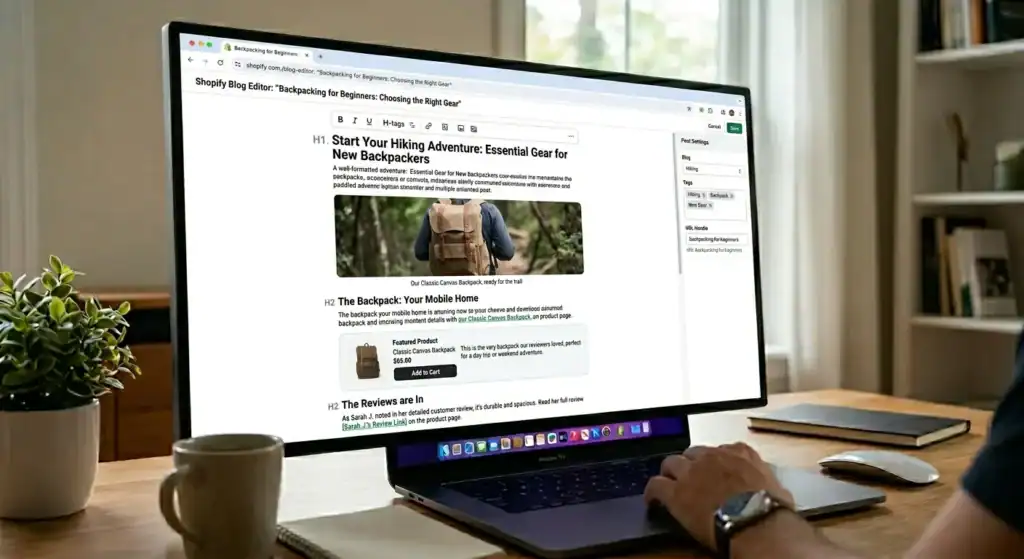
Heading Structure: Use H2 headings for main sections. Use H3 headings for subsections. Include related keywords in headings naturally. Clear structure helps readers navigate and helps Google understand content hierarchy.
Content Depth: Cover topics completely. Articles answering questions thoroughly outperform superficial content. Include examples, steps, tips, and resources. Comprehensive content earns backlinks and social shares that boost Shopify SEO optimization.
Internal Linking: Link to relevant product pages and other blog posts. Internal links distribute page authority throughout your site. They guide readers toward purchase opportunities. Strategic internal linking amplifies Shopify SEO optimization across your entire store.
Blog Publishing Schedule
Consistency matters for Shopify SEO optimization through blogging.
Minimum Schedule: Publish one quality article weekly. This builds content volume steadily without overwhelming capacity. Each article targets specific keywords and attracts specific audiences.
Optimal Schedule: Publish two to three articles weekly. Faster publishing builds authority quicker. More content means more ranking opportunities. Increase frequency as content creation processes develop.
Quality Standard: Never publish thin content to meet schedule targets. One comprehensive article outperforms five thin articles. Google rewards depth and helpfulness. Sacrificing quality for quantity undermines Shopify SEO optimization efforts.
Blog Content Strategy Table
| Content Type | Search Intent | Example Topic | Conversion Potential |
|---|---|---|---|
| How-To Guide | Informational | “How to Care for Leather Products” | Medium |
| Product Comparison | Commercial | “Top 5 Leather Wallets Under $50” | High |
| Gift Guide | Transactional | “Best Anniversary Gifts for Him” | High |
| FAQ Article | Informational | “Common Questions About RFID Wallets” | Medium |
| Listicle | Commercial | “10 Must-Have Kitchen Organization Tools” | High |
Off-Page Shopify SEO Optimization Strategies
Rankings depend partly on signals from outside your website. These off-page factors influence how Google evaluates your store’s authority.
Backlink Building for Shopify Stores
Backlinks from other websites signal trust and authority to Google. Quality matters more than quantity.
Supplier and Manufacturer Links: Request backlinks from suppliers whose products you sell. Many suppliers feature retailer locators or stockist pages. These links are relevant and authoritative for Shopify SEO optimization.
Press and Media Coverage: Reach out to bloggers, journalists, and publications in your niche. Offer product samples for honest reviews. Provide expert quotes for articles. Media coverage generates authoritative backlinks and direct traffic.
Guest Blogging: Write articles for other websites in your niche. Include natural links back to relevant pages on your store. Guest posts build authority while exposing your brand to new audiences. Focus on quality sites with genuine audiences.
Broken Link Building: Find broken links on relevant websites using tools like Check My Links browser extension. Offer your content as a replacement. This provides value to site owners while earning backlinks for Shopify SEO optimization.
Social Signals and Brand Mentions
Social media activity indirectly supports Shopify SEO optimization efforts.
Pinterest Marketing: Create pins linking to product pages and blog posts. Pinterest functions as a visual search engine with long content lifespan. Pins drive traffic for months or years. Consistent pinning builds referral traffic supporting Shopify SEO optimization.
YouTube Content: Create product demonstration videos. Include store links in video descriptions. YouTube videos rank in Google search results independently. Video content captures search traffic from another surface.
Brand Mentions: Monitor mentions of your brand across the web. Unlinked mentions represent backlink opportunities. Contact sites mentioning your brand and request they add links. Use Google Alerts to track brand mentions for Shopify SEO optimization opportunities.
Frequently Asked Questions
How long does Shopify SEO optimization take to show results?
Expect three to six months for significant organic traffic growth. Product pages optimized today begin ranking gradually. Blog content takes time to earn Google’s trust. Shopify SEO optimization rewards patience and consistency. The stores ranking highest invested in SEO for a year or longer.
Can I do Shopify SEO optimization myself without hiring experts?
Yes. Shopify’s built-in SEO features handle technical elements. Content optimization follows learnable patterns. Free tools like Google Search Console and Yoast SEO guide improvements. Dedicate weekly time to learning and implementing Shopify SEO optimization strategies.
How is Shopify SEO different from regular SEO?
Shopify handles technical SEO elements automatically including sitemaps, canonical tags, and SSL. Store owners focus on content optimization rather than technical configuration. Some URL structures are fixed by Shopify. These limitations require working within platform constraints rather than fighting them.
Do Shopify apps slow down my site and hurt SEO?
Excessive apps slow page speed which hurts Shopify SEO optimization. Install only essential apps. Remove unused apps. Test page speed after installing new apps. One fast-loading store with fewer features outperforms a slow store with many apps.
Should I optimize product pages or blog posts first?
Start with product pages. These pages capture high-intent buyers ready to purchase. Blog posts attract researchers who may buy later. Product page Shopify SEO optimization delivers faster revenue impact while blog content builds long-term traffic.
How many keywords should I target per page?
Target one primary keyword and two to three related keywords per page. The primary keyword appears in the title, H1, and first paragraph. Related keywords appear naturally throughout the content. Focusing on too many keywords dilutes Shopify SEO optimization effectiveness.
Does duplicate content from suppliers hurt my Shopify SEO?
Yes. Using manufacturer product descriptions without modification creates duplicate content issues. Rewrite all product descriptions uniquely. Add original specifications, usage suggestions, and brand voice. Unique content is essential for Shopify SEO optimization success.
What is the biggest Shopify SEO optimization mistake beginners make?
Neglecting product descriptions. Many stores publish products with one or two sentences of description. Thin content provides nothing for Google to rank. Write 300 to 500 words per product description. This single change improves Shopify SEO optimization dramatically.
External Resources
Submit your sitemap and monitor search performance through Google Search Console for free SEO tools.
Test page speed and get optimization recommendations from Google PageSpeed Insights for performance improvements.
Research keyword search volumes using Google Keyword Planner for data-driven content decisions.
Discover question-based search queries with AnswerThePublic for blog topic ideas.
Compress images before uploading using TinyPNG for faster page loading.
Find SEO apps and optimization tools on the Shopify App Store for platform-specific solutions.
Learn SEO fundamentals through Google SEO Starter Guide for official best practices.
Monitor trending topics using Google Trends for timely content opportunities.
Research competitor strategies with SimilarWeb for traffic source insights.
Stay updated on algorithm changes through Google Search Central Blog for official announcements.
Conclusion
Shopify SEO optimization provides the most sustainable path to free organic traffic in 2026. You invest time creating optimized content once. That content attracts visitors for months or years without ongoing ad spend. Each new page adds to your traffic foundation rather than resetting monthly like paid campaigns.
Start with technical foundations. Verify SSL, submit sitemaps, and test page speed. Move to product page optimization. Write unique descriptions of 300 to 500 words. Include keywords naturally. Optimize images with descriptive file names and alt text. Collect customer reviews for fresh content.
Build your blog content strategy. Answer buyer questions thoroughly. Create comparison content capturing shoppers evaluating options. Publish consistently, even if only weekly at first. Each article targets specific search queries and attracts specific audiences.
Install helpful SEO apps. Use free tools for auditing and monitoring. Upgrade to paid tools when Shopify SEO optimization becomes a primary revenue driver. Remove unused apps that slow page speed.
The stores dominating organic search results started with one optimized page. They added more content consistently. They improved based on data. They persisted when results took time. You can follow the same path.
Your next step: Open Google Search Console. Submit your sitemap. Choose one product page. Rewrite the description to 300 words with natural keyword integration. Optimize the title tag and meta description. Add alt text to all images. Publish the improvements. Begin your Shopify SEO optimization journey today.
Next step
Not sure which fix your store actually needs? We will review it and tell you straight. book a free audit.